Culprit isolation
Find out who's slowing your Wi-Fi.
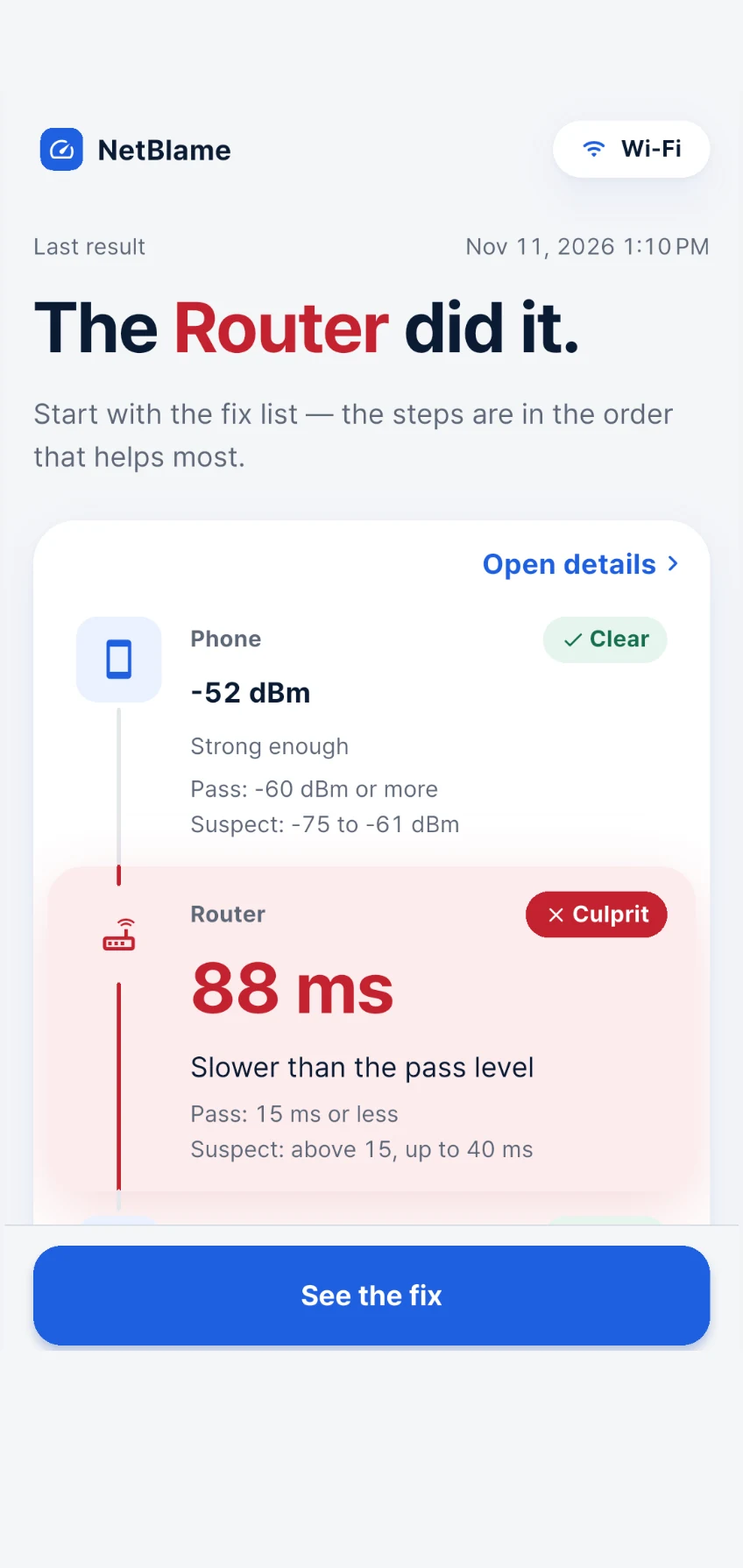
NetBlame checks your phone, your router and your line, names the one to blame, and hands you the fixes in the order that helps most.
- Phone · Router · Line
- 3 hops
- Named, with fixes
- 1 culprit
- Diagnosis & fixes
- Free
What is NetBlame?
NetBlame is a Wi-Fi diagnosis app that names what's slowing your internet. Other speed tests hand you numbers and leave you guessing; NetBlame runs a 3-hop diagnosis — phone, router and line — judges each hop, names the culprit ("The culprit is your router"), gives you an ordered fix checklist and shows the before/after improvement when you re-measure.
How it works
From "it's slow" to the right fix
- 1
Run a diagnosis
NetBlame checks your phone, router and line in order and grades each hop.
- 2
See the culprit
The blame ladder points to the one hop that's slow — or says honestly when it can't tell.
- 3
Fix it in order
Follow the checklist for that hop, most effective step first, then re-measure to see the before/after.
Features
Built to name the culprit, not just the speed
When video calls stutter you reboot the router and hope. NetBlame replaces the reboot roulette with one evidence-based next step.
Culprit isolation
The signature hop-blame ladder points to the exact hop that's slow: phone, router, or line
Ordered fixes
A step-by-step checklist for the culprit hop, most effective action first
Before/after
Re-measure and see the improvement, so you know the fix worked
Honest verdicts
Never a fake culprit when hops tie or a hop can't be measured
Slow-times history
A heatmap of when your connection struggles, plus a shareable line report
FAQ
How is NetBlame different from a speed test?
A speed test gives you download, upload and ping numbers. NetBlame splits the path into three hops — your phone, your router and your line — judges each one, and names the hop that's to blame along with an ordered fix checklist.
Is NetBlame free?
Yes. Diagnosis, culprit isolation and fixes are free. NetBlame Pro is an optional subscription that removes ads and unlocks shareable reports.
What if no single hop is to blame?
NetBlame never names a fake culprit. When hops tie or a hop can't be measured, it tells you so instead of guessing.
How do I know the fix worked?
After you follow the checklist, re-measure. NetBlame shows the before/after result for the culprit hop so you can see the improvement.
Will a test use my mobile data?
Testing the line on mobile data is off by default. If you turn it on, NetBlame asks before each test. You can also choose the download test size in Settings.
Can I see when my connection usually slows down?
Yes. Every diagnosis is saved to History, and Stats shows a calendar and a heatmap of the times your connection struggles.

Stop rebooting and hoping.
Get NetBlame on Android — iPhone coming soon.